
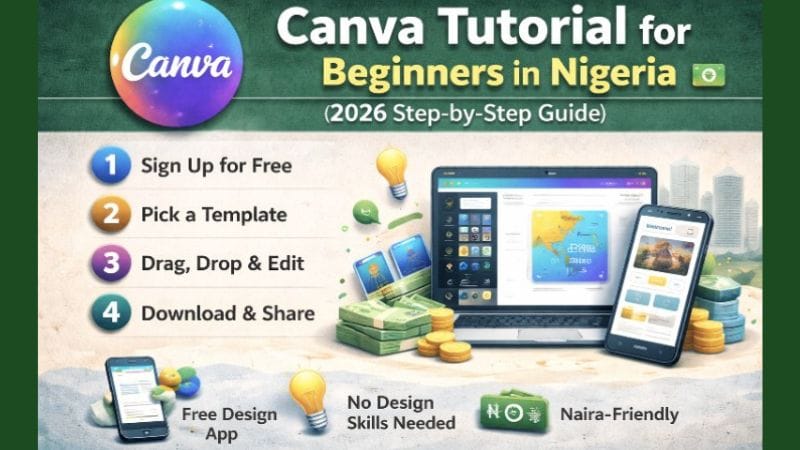
Canva Tutorial for Beginners in Nigeria (2026 Step-by-Step Guide)
If you want to create professional designs in Nigeria without being a trained graphic designer, Canva is the most accessible tool available in 2026. Thousands of Nigerian entrepreneurs, side hustlers, content creators, and students are using Canva every day — on their phones — to design social media posts, business flyers, YouTube thumbnails, presentations, and WhatsApp promotional graphics, all without spending a naira on design software.
In this complete beginner’s guide, you will learn exactly how to use Canva in Nigeria step by step — from creating your first account to designing your first professional graphic, downloading it, and using Canva to earn ₦2,500–₦10,000 per design project as a freelancer.
⚡ Quick Answer — Canva Nigeria 2026
Is Canva free in Nigeria? Yes — Canva has a completely free plan that includes thousands of templates, millions of free images, basic editing tools, and unlimited downloads. It works on any Android or iPhone without requiring a laptop. The free plan is more than sufficient for most Nigerian beginners and small business owners.
Cost
Free
Learn Time
1–2 Days
Earn Potential
₦50k–₦200k/mo
- What Canva is and why it is perfect for Nigerian beginners in 2026
- How to create a Canva account on your phone — step by step
- Understanding the Canva dashboard — every important button explained
- How to create your first design from scratch in under 30 minutes
- How to use Canva templates — the fastest way to look professional
- Editing text, images, elements, backgrounds, and colours
- How to download and share your Canva designs
- Canva Free vs Canva Pro — honest comparison for Nigerians
- 6 ways to earn money with Canva in Nigeria (with real naira income ranges)
What Is Canva?
Canva is a free online graphic design platform founded in 2013 by Melanie Perkins. It allows anyone — with zero design training — to create professional-quality visual content using a drag-and-drop interface, thousands of ready-made templates, and millions of free photos, icons, and graphic elements.
What You Can Design With Canva in Nigeria
Social Media Graphics
Instagram posts, Facebook covers, WhatsApp Status images, TikTok thumbnails, and Twitter headers — all sized perfectly for each platform automatically.
Business Materials
Business cards, letterheads, company logos, price lists, product catalogues, and professional email signatures — for Nigerian businesses of any size.
Marketing and Promotions
Flyers, event banners, church programmes, sale announcements, WhatsApp promotional graphics, and Facebook ad creatives.
Educational and Personal
School presentations, certificates, CVs, infographics, YouTube thumbnails, and personal brand materials.
Why Canva replaced traditional design tools: Tools like Adobe Photoshop and Illustrator require 6–12 months of learning, cost ₦15,000–₦30,000/month in subscription fees, and need a powerful laptop. Canva works on a ₦30,000 Android phone, costs ₦0 for the free plan, and produces professional results after 1–2 days of practice.
Why Canva Is Perfect for Nigerian Beginners
- Free forever plan: The free plan includes thousands of templates, millions of stock photos, and unlimited design creation and download — without an expiry date or credit card requirement
- Works on any Nigerian smartphone: Canva has a dedicated Android and iPhone app that runs smoothly on mid-range and budget Android phones common in Nigeria. No laptop required.
- No internet required for saved designs: Once a design is open in the Canva app, you can edit offline. Only saving and downloading requires internet — useful for managing data costs
- Auto-saves your work: Every edit is automatically saved to the cloud — you cannot lose your work by accidentally closing the app
- Huge library of Nigerian-relevant content: Canva’s template library includes designs relevant to Nigerian contexts — Ankara patterns, Afrocentric colour schemes, church programmes, Nigerian business flyer formats, and more
- Marketable skill from Day 1: After two days of practice, you can offer Canva design services professionally to Nigerian small businesses — it is a billable skill faster than almost any other digital tool
How to Create a Canva Account (Phone and Laptop)
On Android Phone (Most Common for Nigerians)
Download the Canva App from Google Play Store
Open Google Play Store, search for “Canva” (published by Canva Pty Ltd), and tap Install. The app is approximately 40 MB. Confirm it is the official Canva app — avoid unofficial clones.
Open the App and Tap “Sign Up”
Open Canva and tap Sign Up. You have three options: sign up with your Gmail account (fastest — one tap, no password needed), sign up with Facebook, or sign up with an email address. Gmail is recommended for Nigerian beginners — it is the fastest and avoids creating a separate password to remember.
Select Your Account Purpose
Canva asks what you will use it for. Options include: Personal, Student, Small Business, Non-Profit, and more. Select the option that best describes you — this personalises your template recommendations. For most Nigerian beginners, Small Business or Personal is the right choice.
Your Account Is Ready — Explore the Dashboard
Your Canva account is now active. The home dashboard loads with template recommendations based on your selected purpose. No credit card, no verification email, no waiting. You are ready to start designing immediately.
On a Laptop (Browser)
If you prefer using a laptop, go to canva.com in your browser and click Sign Up. The same sign-up options apply. Browser Canva has slightly more features than the mobile app — particularly for complex presentations and multi-page documents — but the mobile app handles 90% of design tasks that Nigerian beginners and small business users need.
Canva Dashboard Explained
When you first log into Canva, the dashboard can look overwhelming. Here is what every important element does:
| Dashboard Element | What It Does | How Often You Use It |
|---|---|---|
| Create a Design (+ button) | Start a new project — most important button | Every session |
| Templates | Browse thousands of ready-made designs by category | Every session |
| Home | Your main dashboard and recent designs | Daily |
| Projects | All your saved designs, organised by folder | Frequently |
| Brand Kit (Pro) | Save your logo, colours, and fonts for consistent branding | Pro users |
| Search bar | Search templates by keyword — “flyer”, “Instagram post”, “business card” | Every session |
| Recent designs | Quickly reopen and continue previous projects | Frequently |
Inside the Design Editor — Key Tools
Text Tool
Add headings, body text, and captions. Change font style, size, colour, alignment, and spacing. Canva has hundreds of free fonts including many that look great for Nigerian business designs.
Elements
Icons, shapes, stickers, illustrations, frames, charts, and graphics. Over 3 million free elements on the free plan. Search by keyword — “arrow”, “star”, “money”, “Nigeria”.
Photos
Upload your own photos from your phone or choose from millions of free Canva stock photos. Filter by colour, orientation, and category.
Background & Colours
Change your design’s background colour, apply a gradient, or use a photo as background. The colour picker matches any colour from an image you upload.
How to Create Your First Design (Step-by-Step)
This walkthrough creates a professional Instagram post — one of the most commonly needed designs for Nigerian businesses and content creators. The same process applies to any design type.
Tap “Create a Design”
On your home dashboard, tap the large + button or Create a design. A menu of popular design types appears — Instagram Post, Facebook Post, Story, Presentation, Flyer, and more. Tap Instagram Post (Square) — this opens a 1080×1080 pixel canvas, the ideal size for Instagram and WhatsApp images.
Choose a Template or Start Blank
On the left panel, tap Templates. Scroll through the pre-made designs or use the search bar to find templates for your specific need (e.g., “business flyer”, “sale announcement”, “motivation quote”). Tap any template to apply it instantly. Templates marked with a crown icon (👑) are Canva Pro — skip these and use the free ones, which are excellent.
Customise the Text
Tap any text element on the design to select it. Tap again to enter edit mode and type your own text. Use the formatting toolbar that appears to: change the font (tap the font name), adjust the size (tap the number), change the colour (tap the colour square), or toggle bold/italic. Always use a maximum of two complementary fonts per design for a clean, professional appearance.
Replace Images With Your Own Photos
Tap any image in the template. A menu appears — tap Replace to swap it with one of your own phone photos or a different Canva stock photo. Alternatively, tap Edit Photo to adjust brightness, contrast, and filters. To upload your own photo: tap Uploads in the left panel → Upload Files → select from your phone gallery.
Adjust Colours to Match Your Brand
Tap any coloured element (background, shape, text). The colour tool appears at the top. Tap the colour square to open the colour picker. You can: enter a specific colour hex code (e.g., #1a4731 for green), choose from your recently used colours, or use the colour dropper to match any colour from an image. Consistent colours across all your designs build brand recognition for your business or personal brand.
Review and Fine-Tune
Pinch to zoom out and review your complete design. Check: is all text readable? Are the most important words largest? Does the colour contrast make text legible against the background? Is your business name or logo included? Adjust any element by tapping and using the handles to resize, rotate, or reposition. Canva shows blue alignment guides when elements are perfectly centred or aligned — use these for professional, clean layouts.
How to Use Canva Templates — The Fastest Method
Templates are the single most powerful feature in Canva for Nigerian beginners. Instead of building a design from scratch, you start with a professionally designed layout and simply replace the text and images with your own content. Here is how to get the most from Canva templates:
Finding the Right Template
Most Popular Templates for Nigerian Users
- Business/Service Flyer: Promote your service, business, or offer — most requested design type from Nigerian clients
- Instagram/WhatsApp Post: Quote cards, tips, announcements, and product promotions for social media
- Church Programme: Order of service, announcement cards, and church bulletin designs
- YouTube Thumbnail: High-click, bold text-on-image designs — in high demand from Nigerian YouTubers
- CV/Resume: Professional, modern CV templates that beat plain Word document formats
Always change at least four elements from any template before using it professionally: (1) text content, (2) primary colour to match your brand, (3) any generic images, and (4) the font if the template font does not fit your brand voice. Businesses want unique designs — not the same template used by 10 other Nigerian businesses in their niche.
Editing Text, Images, Elements and Colours
Editing Text
- Change font: Select text → tap the font name at the top → search or browse font library → tap to apply
- Change font size: Select text → tap the size number → type a new size or use + / - arrows
- Change text colour: Select text → tap the coloured A icon → colour picker opens
- Letter spacing and line height: Select text → tap the three dots (…) for more options → spacing settings appear
- Add text box: Tap Text in the left panel → choose Heading, Subheading, or Body text style
Working With Images
- Upload a photo: Tap Uploads in the panel → Upload files → select from your phone gallery → drag into your design
- Replace an image: Tap the existing image → tap Replace → choose from your uploads or Canva’s stock photos
- Crop an image: Double-tap the image to enter crop mode → drag to reposition the image within its frame → tap outside to confirm
- Adjust brightness, contrast, and saturation: Tap the image → tap the Edit Image or Adjust option → sliders appear
- Apply filters: Select image → tap Filter → choose from the preset filter styles for a consistent look across multiple designs
Working With Elements (Icons, Shapes, Stickers)
- Add an element: Tap Elements in the panel → search by keyword or browse categories → tap to add to canvas
- Resize an element: Select it → drag the corner handles to resize. Hold the corner and drag to resize proportionally
- Change element colour: Select it → tap the colour square in the toolbar → colour picker opens
- Layer elements: Tap and hold an element → Layer options appear → move to front or back to control overlapping order
How to Download and Share Your Canva Designs
Tap the Share or Download Button
When your design is complete, tap the ↑ Share button (top right of the editor on mobile) or the Download button. This opens the export options menu.
Choose Your File Format
PNG — best for social media posts, WhatsApp images, and graphics with transparent backgrounds. Highest quality for photos and detailed designs. JPG — slightly smaller file size than PNG, best for photos and designs without transparency. Ideal when file size matters for WhatsApp sending. PDF (Standard) — best for printed materials like flyers, business cards, and church programmes. PDF (Print) — high-resolution PDF for professional printing.
Download to Your Phone
Tap Download. The file is saved to your phone’s gallery or downloads folder. Most Nigerian Android phones save to Pictures/Canva in internal storage. Once downloaded, you can share directly to WhatsApp, Instagram, or any other platform from your phone gallery.
Share Directly From Canva (Optional)
Canva allows direct sharing to WhatsApp, Instagram, Facebook, and email without downloading first. Tap Share → choose your platform → the design opens in that app ready to post. For client work, download as PDF and send via WhatsApp or email for maximum image quality.
Canva Free vs Canva Pro — Nigeria Comparison
| Feature | Canva Free | Canva Pro |
|---|---|---|
| Templates | 250,000+ free templates | 1,000,000+ including premium designs |
| Cost | ₦0 forever | ~$13/month (~₦20,000/month) |
| Stock photos and elements | Millions of free assets | Millions more premium assets |
| Background Remover | ❌ Not available | ✔ One-click removal |
| Brand Kit | ❌ Not available | ✔ Save brand colours, fonts, logo |
| Magic Resize | ❌ Not available | ✔ Resize design to any format instantly |
| Storage | 5 GB | 1 TB |
| Schedule social media | Limited | ✔ Full scheduling |
| Transparency/Opacity | ✔ Available | ✔ Available |
| AI design tools | Basic (limited uses) | Extended AI access |
Recommendation for Nigerian beginners: Start on the free plan. It is genuinely sufficient for most Nigerian side hustlers, small business owners, and even professional Canva freelancers earning ₦50,000–₦100,000/month. The only Pro features worth upgrading for are the Background Remover (very useful for product photos) and Brand Kit (essential once you have multiple regular clients). Upgrade only when your Canva income makes the ₦20,000/month subscription a clear return on investment.
6 Ways to Make Money With Canva in Nigeria
Designing Flyers and Graphics for Nigerian Businesses
Nigerian small businesses — restaurants, fashion stores, salons, churches, event organisers — constantly need professional flyers, announcement graphics, and social media posts but cannot afford a professional graphic design agency. A Canva-trained freelancer charging ₦3,000–₦8,000 per flyer fills this gap perfectly. Start by reaching out to 10 local businesses via WhatsApp with a portfolio of 3–5 sample designs you create yourself.
Monthly income target: 20 flyer designs per month × ₦4,000 average = ₦80,000/month from flyer design alone.
Social Media Management (Canva-Powered)
Nigerian small businesses increasingly need consistent Instagram, Facebook, and TikTok content but lack time to create it. As a social media manager using Canva for graphics and ChatGPT for captions, you can manage 5–8 clients simultaneously from your phone. Use Canva to create 30 posts per month per client — each taking 10–15 minutes. Charge ₦20,000–₦40,000 per client monthly.
YouTube Thumbnail Design
Nigerian YouTube is growing rapidly and thumbnails drive click-through rates — meaning Nigerian YouTubers actively pay for good thumbnail design. A well-designed thumbnail (bold text, contrasting colours, clear face/image) takes 15–20 minutes in Canva. Offer thumbnail packages — 10 thumbnails for ₦25,000 — to channels that post frequently.
Selling Canva Templates
Create a pack of 10–20 ready-to-customise Canva templates for a specific Nigerian niche — church programmes, event flyers, social media post packs, CV templates — and sell the pack on Selar at ₦3,000–₦8,000 per download. Create once, sell unlimited times. A well-made template pack promoted on Nigerian Facebook groups and TikTok can generate passive sales daily.
Designing Affiliate Marketing Promotional Graphics
Nigerian affiliate marketers who use Canva-designed graphics in their WhatsApp Status campaigns consistently report higher engagement and conversion rates than those who post text-only Status updates. Design your three-day Status sequence graphics in Canva — Day 1 problem graphic, Day 2 testimonial card, Day 3 promotional image with your affiliate link. Canva makes your affiliate promotions look professional and trustworthy.
See how Canva-designed graphics supercharge WhatsApp affiliate campaigns: How to Promote Affiliate Links on WhatsApp in Nigeria (2026).
Branding and Logo Design Packages
Package your Canva skills into a branding bundle: logo design, business card, Facebook cover, Instagram template, and letterhead — all in the client’s brand colours. Charge ₦10,000–₦25,000 for the complete package. New Nigerian businesses (online stores, beauty businesses, food vendors, service providers) launching on WhatsApp and Instagram need exactly this, and are willing to pay for professional-looking brand materials.
Frequently Asked Questions: Canva in Nigeria
Yes — Canva is completely free in Nigeria. The free plan includes 250,000+ templates, millions of free stock photos and elements, unlimited design creation, and unlimited downloads. There is no trial period, no credit card requirement, and no expiry. The free plan is fully functional and more than sufficient for most Nigerian beginners, side hustlers, and small business owners. Canva Pro (approximately ₦20,000/month) adds premium templates, background remover, and brand kits — but is not required to start earning money with Canva.
Yes — Canva has an excellent free Android and iPhone app that works on mid-range and budget Nigerian smartphones. Download it from the Google Play Store (search “Canva”). The mobile app handles 90% of design tasks including creating graphics, editing templates, uploading photos, and downloading completed designs. Some advanced features (complex multi-page presentations, AI writing tools) work better in the browser version, but the app is fully sufficient for flyers, social media posts, and WhatsApp graphics.
The fastest way for Nigerian beginners to start using Canva: (1) Download the free app, (2) tap “Create a design”, (3) select Instagram Post or Flyer as your design type, (4) choose a template from the hundreds of free options, (5) replace the template text with your own words and swap the images with your photos, (6) change colours to match your brand, (7) download as PNG. This entire process takes under 30 minutes on your first attempt and under 10 minutes once you practise for a few days.
Canva Pro is worth it in Nigeria specifically if you: (1) use background removal regularly for product photography — the one-click Background Remover alone is worth the subscription for e-commerce product photos; (2) manage multiple clients and need Brand Kits to maintain consistent branding across each client’s designs; (3) post to multiple social media formats and need Magic Resize to convert one design to all sizes instantly. For most Nigerian beginners, the free plan is sufficient for 6–12 months before Pro becomes a clear value upgrade.
Canva earnings for Nigerians range significantly based on the service offered and client volume. Realistic monthly income ranges: flyer and graphic design freelancing (₦30,000–₦100,000/month for consistent part-time work), social media management (₦60,000–₦200,000/month with 4–8 regular clients), YouTube thumbnail design (₦20,000–₦80,000/month), and template sales on Selar (₦10,000–₦80,000/month for popular template packs). Most Nigerian beginners who actively promote their Canva services earn their first ₦5,000–₦15,000 within the first 2 weeks of client outreach.
The basic Canva skills needed to create professional designs — using templates, editing text, swapping images, changing colours, and downloading — can be learned in 1–2 days of practice. Creating your first professional-quality design takes about 30–60 minutes for a complete beginner. By the end of Week 1 of daily 30-minute practice sessions, most Nigerian beginners produce designs good enough to offer professionally to clients. Advanced skills (custom animations, complex layouts, brand system creation) take 2–4 weeks of regular use to develop comfortably.
Conclusion: Start Designing and Start Earning
Canva is the most accessible, most practical, and most monetisable digital skill available to Nigerians in 2026. You need no design background, no laptop, no expensive software, and no capital. Just your phone, the free Canva app, and 1–2 days of focused practice to reach a professionally billable skill level.
Your action for today: Download the Canva app from the Play Store. Sign up with your Gmail in 60 seconds. Create a design — choose “Instagram Post”, select any free template, and replace the text with something relevant to your niche or your WhatsApp Business page. Download it. Your first Canva design takes less than 30 minutes.
The skill is free. The earning potential is real. The only thing between you and your first Canva income is starting today.
Both guides are completely free on ClickStartNG.
🚀 Recommended Next Steps
- Use Canva to create powerful affiliate marketing graphics: How to Promote Affiliate Links on WhatsApp in Nigeria (2026).
- Learn 9 more digital skills you can monetise in 30 days: 10 Digital Skills Nigerians Can Learn in 30 Days.
- Use ChatGPT alongside Canva to double your design output: How to Use ChatGPT to Make Money in Nigeria (2026).
- Discover the other best free AI tools for content creation: 15 Best Free AI Tools for Content Creation in Nigeria (2026).
- Turn your Canva skills into daily income: How to Make ₦5,000 Daily Online in Nigeria (7 Real Methods 2026).
- Use your phone for all income methods — no laptop: How to Make Money Online in Nigeria With Just Your Phone (2026).
Note: Canva features and pricing mentioned in this guide are based on Canva’s platform as of March 2026. Features and prices may change — verify current details at canva.com. ClickStartNG is not affiliated with or endorsed by Canva. Earning figures reflect reported Nigerian user experiences and are not guarantees of typical income. See our Affiliate Disclosure for full details.