
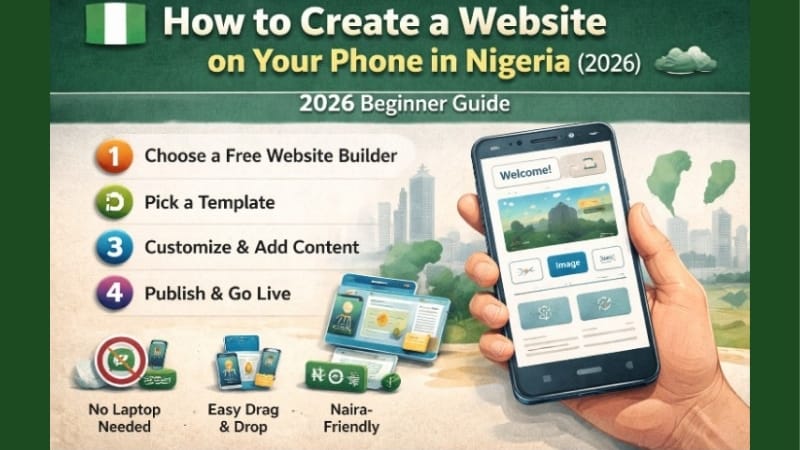
How to Create a Website on Your Phone in Nigeria (Beginner Guide 2026)
You no longer need a laptop, a developer, or a big budget to build a website in Nigeria. With just your smartphone, a free platform, and 60–90 minutes of focused effort, you can create a fully functional website — a blog, a business site, a portfolio, or an online store — and have it live on the internet today.
This guide answers every common question Nigerian beginners ask: Which platform is best for phone-only website creation? Can I really do this for free? How much does a website cost in Nigeria in 2026? And how do I actually earn money from a website I built on my phone?
⚡ Quick Answer
Can you create a website on your phone in Nigeria? Yes — completely. Platforms like Systeme.io (free), Wix (free plan), and WordPress (low-cost hosting from ₦833/month on Truehost) all have mobile-friendly dashboards. You can build, publish, and manage a professional website entirely from a smartphone, without coding, and without a laptop.
Fastest free option for Nigerian beginners who want to earn online: Systeme.io — free landing page, free email marketing, Paystack built in, live in under 1 hour.
- What you actually need to create a website on your phone in Nigeria
- The two methods for phone-based website creation — which to choose
- Step-by-step walkthrough: create your first website in under 90 minutes
- The 5 best website builders for Nigerians — ranked and reviewed with free plan details
- Real cost breakdown — what a website actually costs in Nigeria in 2026
- How to earn money from a website created on your phone
- Five common website mistakes Nigerian beginners make and how to avoid them
- Pro tips to make your phone-built website rank on Google
What You Need to Create a Website on Your Phone in Nigeria
| Requirement | Needed? | Cost | Note |
|---|---|---|---|
| Android or iPhone | ✔ Yes | ₦0 (you have one) | Any phone from 2018 onwards works |
| Internet / mobile data | ✔ Yes | Already paying | Basic data is enough |
| Website builder account | ✔ Yes | Free (most platforms) | Wix, Systeme.io, WordPress.com |
| Your content (text + images) | ✔ Yes | Free | Write in Notes app; photos from gallery |
| Domain name | Optional | ₦5,000–₦15,000/year | Free subdomain available on most platforms |
| Web hosting | Optional | ₦10,000–₦30,000/year | Only needed for self-hosted WordPress |
| Laptop or computer | ❌ Not required | — | 100% phone-buildable on all platforms listed |
| Coding knowledge | ❌ Not required | — | Drag-and-drop builders need zero coding |
Two Methods for Phone-Based Website Creation
Method 1: No-Code Website Builders (Recommended for 99% of Nigerians)
No-code builders give you a drag-and-drop interface — you choose a template, customise the text and images, and publish. No technical knowledge required. This is how Nigerian entrepreneurs, students, bloggers, and side hustlers are building real websites from their phones in 2026.
- Speed: Your first website can be live within 60–90 minutes of creating an account
- Cost: Free plans available on Wix, Systeme.io, and WordPress.com
- Platforms: Wix (most beginner-friendly), Systeme.io (best for earning money), WordPress (best for blogging SEO)
- Best for: Bloggers, affiliate marketers, small businesses, freelancers, course creators, anyone who wants a website that earns income
Method 2: Coding With HTML/CSS (Advanced Users Only)
You can write your website’s code manually using a code editor app on your phone (Acode, Spck Editor), then upload the files to a hosting server. This gives maximum control and zero platform dependence — but requires learning HTML, CSS, and FTP file transfer, which typically takes 4–12 weeks for a beginner.
If your goal is to build a website and start earning money from it as quickly as possible, choose Method 1 (No-Code Builder). Every platform in this guide uses Method 1. Method 2 is only worth pursuing if your goal is to become a professional web developer — not if your goal is to build an online income through blogging, affiliate marketing, or selling products.
Step-by-Step: Create Your Website Without Coding
This walkthrough uses Systeme.io for beginners who want to earn money quickly, and Wix for those who want a general-purpose website. Both are free and 100% phone-compatible.
Choose Your Platform and Create a Free Account
For earning online quickly: open your phone browser and go to systeme.io. Tap “Get Started for Free”. Sign up with your Gmail — takes 60 seconds, no credit card. For a general-purpose website or blog: go to wix.com or download the Wix app from Google Play Store. Sign up with Gmail.
For a WordPress blog with SEO power: purchase hosting from Truehost Nigeria (from ₦833/month) and install WordPress via cPanel. See our full guide: How to Start a Blog in Nigeria in 2026.
Select a Template That Matches Your Goal
Every platform provides dozens of ready-made templates organised by purpose: blog, business, portfolio, online store, and landing page. Choose a template close to your intended use — do not start from a blank page as a beginner. A template that is 70% right is better than starting with nothing.
On Systeme.io: go to Funnels → Create → Build an Audience → select a template. On Wix: the ADI (Artificial Design Intelligence) wizard will ask about your site’s purpose and generate a starting design automatically.
Customise Your Website Content
Replace all template placeholder text with your own content. Tap any text element to edit it. Change images by tapping and uploading from your phone gallery. Adjust colours to match your brand — use a consistent palette of 2–3 colours across all pages. Add your logo if you have one, or create one free in Canva.
Essential pages to create: Home (your introduction and main offer), About (who you are and what you offer), Contact (how visitors reach you), and Blog or Services depending on your purpose.
Add Your Domain and Connect Payments (Optional)
On the free plan, your site will have a platform subdomain (yourname.wixsite.com or yourname.systeme.io). This is sufficient to start. When you are ready for a professional custom domain (yourname.com.ng), purchase one from Whogohost or Truehost (₦5,000–₦10,000/year) and connect it in your platform’s domain settings.
To accept payments from Nigerian customers: on Systeme.io, go to Settings → Payment Gateways → Add Paystack. Paste your Paystack Secret Key. Done — your site can now accept naira payments from Nigerian debit cards.
Preview on Mobile, Then Publish
Before publishing, tap the preview button to see how your site looks on a mobile screen (most Nigerian visitors will view it on a phone). Check: is all text readable? Do images load quickly? Is your most important content visible without scrolling too far? Fix any issues. Then tap Publish. Your website is now live on the internet and accessible by anyone with the URL.
From registration to published website: Most Nigerian beginners complete this process in 60–90 minutes on their first attempt. By the second or third website, the entire process takes under 30 minutes.
5 Best Website Builders for Nigerians (Ranked 2026)
Systeme.io
Systeme.io is the strongest starting platform for Nigerian beginners whose goal is earning money online. The free plan includes a landing page builder, blog, course hosting, email marketing, and Paystack integration — everything you need to sell products or promote affiliate offers, all without a domain, hosting, or any upfront cost.
Unlike Wix and WordPress (which are general website builders), Systeme.io is specifically designed for online business — sales funnels, email sequences, and payment collection are built in from the start, not bolted on as plugins.
Complete Systeme.io tutorial: Systeme.io Tutorial Nigeria (2026): How to Use It Free + Complete Beginner Guide.
Wix
Wix is the most visually intuitive website builder for Nigerian beginners who want a general-purpose website — not specifically focused on funnels or income generation. The Wix ADI (AI Design Intelligence) creates an initial website design based on answers to a few questions, giving Nigerian beginners a professional-looking starting point in minutes.
The free plan includes your Wix subdomain, unlimited pages, and basic forms. Paid plans (from ~$16/month) add a custom domain, remove Wix branding, and add e-commerce features. For simple business or portfolio websites, the free plan is sufficient to start.
WordPress (Self-Hosted)
For Nigerians serious about long-term SEO and building a blog that ranks on Google, WordPress on Nigerian hosting (Truehost or Whogohost) is the industry standard. Unlike the other builders, WordPress setup requires purchasing hosting separately and navigating cPanel — it is more technical but produces a significantly more powerful blogging and SEO platform.
The WordPress mobile app (free on Android) lets you write, edit, and publish blog posts directly from your phone. Most of the day-to-day content creation and publishing on WordPress can be done phone-only after initial setup.
Full guide to starting a WordPress blog in Nigeria on your phone: How to Start a Blog in Nigeria in 2026 (Free & Paid Guide).
Shopify
Shopify is the strongest platform for Nigerian entrepreneurs selling physical products online — either mini importation products or locally manufactured goods. It has a strong mobile app for managing orders, inventory, and customer communication from your phone. However, it requires a monthly subscription (~₦45,000/month) making it unsuitable for Nigerian beginners with zero capital. Selar is a cheaper Nigerian alternative for digital product stores.
Google Sites
Google Sites (sites.google.com) is a completely free, no-code website builder by Google. It is more limited than Wix but has zero cost, zero advertising, and seamless Google Docs, Drive, and YouTube integration. Nigerian students, church organisations, and school administrators use it for simple information websites where earning money is not the goal. Not recommended for business or income-focused sites.
Real Cost of Creating a Website in Nigeria (2026)
| Cost Item | Free Option | Budget Option | Professional Option |
|---|---|---|---|
| Website platform | Systeme.io, Wix, Google Sites (₦0) | Wix paid (~₦25,000/year) | WordPress self-hosted |
| Domain name | Free subdomain (platform) | .com.ng: ₦5,000–₦10,000/year | .com: ₦8,000–₦15,000/year |
| Web hosting | Included in platform (₦0) | Truehost Lite: ₦10,000/year | Whogohost Standard: ₦15,000+/year |
| Website theme/design | Free templates (₦0) | Premium theme: ₦15,000–₦50,000 one-time | Custom design: ₦50,000–₦500,000 |
| Email marketing tool | Systeme.io free (₦0) | Mailchimp free (500 contacts) | Paid plan: ₦10,000+/month |
| Total — complete beginners | ₦0 | ₦15,000–₦25,000/year | ₦60,000–₦150,000/year |
Start at ₦0 with Systeme.io free plan. Build your first funnel or landing page, grow your email list to 500 subscribers, and earn your first affiliate commissions — all before spending a naira. Once you are consistently earning from your online presence, invest ₦10,000–₦15,000/year in a Truehost domain and WordPress blog for long-term SEO traffic. Build income first; invest in infrastructure second.
How to Make Money From a Website Built on Your Phone
A website is not just an online presence — it is an income asset. Here are six proven methods Nigerians use to earn from websites created on phones:
Affiliate Marketing
Publish blog posts or landing pages that promote products from Stakecut, Selar, Jumia, or ClickBank. Earn 3–75% commission per sale through your links. The fastest path to website income for Nigerian beginners.
Google AdSense
Once your blog has 20+ articles and consistent traffic, apply for Google AdSense. Google displays ads on your pages and pays you per impression and click — passive income from content already published.
Selling Online Courses
Create and sell a course on your Systeme.io site with Paystack checkout. One course, unlimited students. Recurring passive income from knowledge you already have.
Selling Digital Products
E-books, templates, checklists, and guides sold via Selar or Systeme.io. Create once, sell unlimited times. ₦3,000–₦8,000 per sale with zero recurring cost.
Freelancing Portfolio
A professional portfolio website showcasing your Canva designs, CapCut edits, or writing samples increases your freelance rates and attracts higher-quality clients.
Online Store
Sell physical or digital products directly to Nigerian customers via Paystack checkout on your Systeme.io or Shopify site. WhatsApp Status and TikTok drive traffic to your store.
See all proven ways Nigerians earn money online — including from websites: Make Money Online in Nigeria (2026): 7 Proven Methods Starting With ₦0.
Common Mistakes to Avoid When Building Your Website
Building a Wix general website when your goal is affiliate marketing funnels and email income is like using a hammer to paint a wall — technically possible, but the wrong tool. Match your platform to your goal: Systeme.io for income funnels, WordPress for SEO blogging, Wix for general business presence. Choosing wrong costs weeks of effort before discovering the limitation.
Over 85% of Nigerian website visitors arrive on smartphones. A website that looks professional on a laptop screen but is cramped or broken on a phone loses the vast majority of its visitors immediately. Always preview your site in mobile view before publishing and after every major design change. All the platforms in this guide offer mobile preview — use it every time.
A 5 MB photo from your phone camera uploaded directly to your website will cause the page to load in 8–15 seconds on a Nigerian mobile connection — most visitors leave within 3 seconds of a slow load. Compress every image before uploading using Squoosh (squoosh.app, free) or TinyPNG. Target under 300 KB per image. This single change dramatically improves page speed and Google ranking.
Publishing pages without a clear SEO title, meta description, and relevant keyword in your headings means Google cannot understand what your page is about and will not rank it for relevant searches. Every page and blog post should have: a specific keyword-focused title (e.g. “How to Start Affiliate Marketing in Nigeria”), a descriptive meta description, at least one H1 heading and several H2 headings, and your target keyword used naturally in the first paragraph.
Dead links and broken contact forms are the two most damaging things on a new Nigerian website — they destroy credibility and cause visitors to immediately distrust the site. Before sharing your URL with anyone, test: all navigation links, all contact forms (submit a test message yourself), all payment buttons (process a ₦100 test transaction), and your affiliate links (open each one and confirm it redirects correctly).
Pro Tips for SEO and Long-Term Success
- Write one specific blog post per week: Each article targets a specific Nigerian search query. Over 6 months, 24 ranked articles generate consistent organic traffic without ongoing promotional effort.
- Use your target keyword in the page title, first paragraph, and at least two headings: Google uses these signals to understand what each page is about. Being specific (“affiliate marketing in Nigeria for beginners”) ranks better than being generic (“affiliate marketing”).
- Build internal links between your articles: Every new article should link to 2–3 existing articles on your site, and existing articles should link back to the new one. This distributes ranking authority across your site and helps Google understand your content structure.
- Compress all images before uploading: Use Squoosh (free, in your phone browser) to reduce image file sizes to under 300 KB. Faster loading pages rank higher and retain more visitors.
- Use Google Search Console (free): After publishing your site, verify it with Google Search Console and submit your sitemap. This signals Google to index your content faster and shows you which search queries are driving impressions and clicks.
- Share new content on WhatsApp and TikTok: Organic search traffic takes 8–16 weeks to build. In the meantime, drive immediate traffic to new articles via WhatsApp Status posts and TikTok videos linking to your site — this also sends positive engagement signals to Google.
Frequently Asked Questions: Creating a Website on Your Phone in Nigeria
Yes — completely and professionally. Platforms like Systeme.io, Wix, and WordPress all have mobile-accessible dashboards and Android/iPhone apps that allow you to create, design, publish, and manage a full website from a smartphone. No laptop, no coding, no expensive software required. Nigerian beginners create complete websites — including payment-enabled stores and email-capture landing pages — entirely from their phones in 60–90 minutes.
The minimum cost is ₦0 — using Systeme.io’s free plan (landing page, blog, email marketing, and Paystack integration all included free), Wix free plan (general website with Wix subdomain), or Google Sites (completely free). If you want a custom domain name (.com.ng), the annual cost is ₦5,000–₦10,000 from Nigerian registrars like Whogohost or Truehost. A full self-hosted WordPress blog with domain and hosting costs ₦15,000–₦25,000/year at minimum. A fully equipped professional business website (premium theme, plugins, email marketing) costs ₦60,000–₦150,000/year.
For Nigerian beginners who want to earn money online: Systeme.io free plan — includes funnels, email marketing, course hosting, and native Paystack integration at ₦0. For Nigerian beginners who want a general business or portfolio website: Wix free plan — most beginner-friendly drag-and-drop builder with excellent templates. For Nigerian bloggers who want to rank on Google long-term: WordPress on Nigerian hosting (Truehost from ₦833/month) — the best SEO platform available.
Yes — a website created on a phone generates the same income as one created on a laptop. Nigerian phone-built websites earn money through: affiliate marketing commissions (placing affiliate links in blog articles or landing pages), Google AdSense display advertising (once you have consistent blog traffic), selling digital products via Paystack (e-books, courses, templates), freelancing portfolio (attracting higher-paying clients), and online store sales. The device used to build the website does not affect its earning potential — your content, SEO, and consistency do.
Yes — ChatGPT (free at chat.openai.com) is a powerful companion for phone-based website creation. Use it to: write all your website content (About page, service descriptions, homepage text), generate blog article outlines and drafts, write SEO meta titles and descriptions for each page, and create product descriptions for your digital products. ChatGPT cannot host or publish your website — you still need a platform like Systeme.io, Wix, or WordPress for that. But it eliminates the blank-page problem and dramatically speeds up content creation from your phone.
The cheapest way to build a complete, income-generating website in Nigeria is Systeme.io’s free plan at ₦0 — no domain, no hosting, no upfront payment. It includes a landing page, a blog with unlimited posts, email marketing, course hosting, and Paystack integration. For a custom domain (yourname.com.ng), the additional cost is ₦5,000–₦10,000/year. If your goal is specifically SEO blogging, Blogger.com (Google’s free blog platform) at ₦0 is the cheapest option — pair it with a custom domain for a professional look.
Conclusion: Your Website Starts Today
Creating a website on your phone in Nigeria has never been easier or more accessible. Whether you want a free landing page to capture leads for affiliate marketing, a professional blog to rank on Google, or an online store accepting Paystack payments — all of it is achievable from your smartphone, today, at zero or near-zero cost.
The platform you choose depends on your goal: Systeme.io for earning online quickly, WordPress for long-term SEO blogging, Wix for general business presence. Start with the one that matches your immediate goal — you can always add the others as your income and audience grow.
Your smartphone is already your business tool. Your website is the permanent online home for that business. Start building it today.
Systeme.io free plan costs ₦0. Blog guide is free to read.
🚀 Recommended Next Steps
- Complete Systeme.io setup guide for Nigeria: Systeme.io Tutorial Nigeria (2026): Complete Beginner Guide.
- Start a WordPress blog for long-term SEO income: How to Start a Blog in Nigeria in 2026 (Free & Paid Guide).
- Compare WordPress vs Systeme.io in detail: WordPress vs Systeme.io in Nigeria (2026): Which Is Better for Beginners?
- Use Canva to design graphics for your new website: Canva Tutorial for Beginners in Nigeria (2026).
- Earn affiliate commissions from your website: Affiliate Marketing in Nigeria (2026): Complete Beginner Guide + 7-Day Action Plan.
- Use ChatGPT to write all your website content faster: How to Use ChatGPT to Make Money in Nigeria (2026).
Affiliate Disclosure: This article contains links to Systeme.io and affiliate links to other platforms. If you sign up through our links, ClickStartNG may earn a commission at no extra cost to you. Pricing figures are based on information current as of March 2026 and may change — verify current pricing directly on each platform. See our Affiliate Disclosure for full details.