
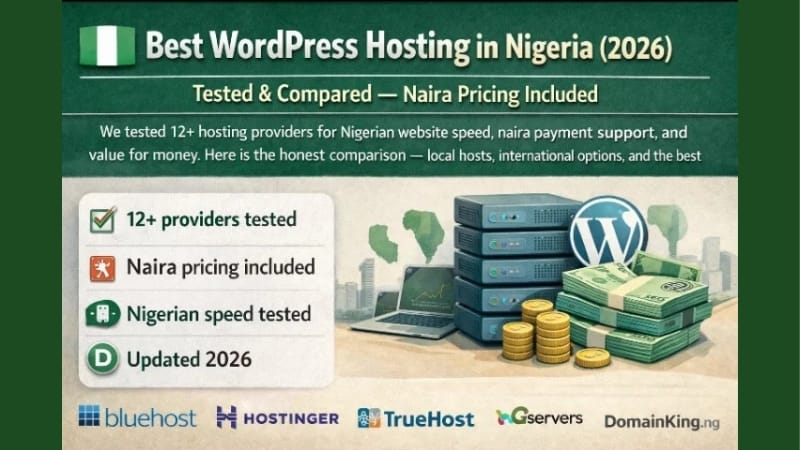
Best WordPress Hosting in Nigeria:
Affordable, Fast, and Reliable Options
If you're searching "WordPress hosting Nigeria" and feeling overwhelmed by the options — this guide compares the hosting providers that actually work well for Nigerian bloggers, including local companies that accept naira payments and global ones that deliver speed.
I've wasted money on hosting that was slow, down half the time, and had support that never responded. Before you buy any hosting plan, read this guide. I'll show you the hosts I've tested, which ones are best for beginners, and how to get started without breaking the bank.
What to Look for in a Nigerian‑Friendly WordPress Host
Not every host works well for a Nigerian audience. Here's what matters:
- Payment method: The host should accept Nigerian debit cards (Verve, Mastercard) or offer bank transfer options.
- Server location: A server in or near Africa (or at least with good CDN support) means faster loading for your Nigerian visitors.
- Support: 24/7 support that you can reach via live chat or WhatsApp is a lifesaver when your site goes down at 2 a.m.
- One‑click WordPress install: You don't want to manually set up files — good hosts do it automatically.
- Free SSL: Every site needs the padlock; most good hosts include it free.
1. Qservers — Best Local Host (Pay in Naira)
Qservers is a Nigerian company offering shared hosting, WordPress hosting, and domains. They accept naira payments directly and have local support that understands Nigerian issues.
- Price: Starts around ₦2,500/month.
- Pros: Local payment, fast servers in Nigeria, good support via WhatsApp.
- Cons: Higher renewal rates after the first year.
2. DomainKing — Affordable Nigerian Hosting
Another solid local option. DomainKing focuses on affordability and ease of use. They offer free SSL, one‑click WordPress, and a simple control panel.
- Price: Plans from ₦1,500/month.
- Pros: Very affordable, regular promos, local support.
- Cons: Limited storage on starter plans.
3. Namecheap — Best International Host for Nigerians
Namecheap is a global provider with a strong reputation. They accept Nigerian cards, offer a free CDN, and have servers in multiple locations. Their EasyWP WordPress hosting is perfect for beginners.
- Price: Around $3–$5/month.
- Pros: Great speed, 24/7 live chat, free SSL and CDN.
- Cons: Paid in USD; slight currency conversion fees on your card.
4. Hostinger — Budget Global Hosting
Hostinger is extremely popular among Nigerian bloggers because of its low prices and solid performance. Their WordPress plans include a free domain on some tiers.
- Price: Plans from $1.99/month.
- Pros: Very cheap, fast LiteSpeed servers, free SSL.
- Cons: Support is mostly chat‑based, no phone.
🧾 Which Host Should You Pick?
- Just starting and want to pay in naira: Qservers or DomainKing.
- Need global speed and willing to pay in dollars: Namecheap or Hostinger.
- Building a blog for AdSense: Hostinger's speed helps with Core Web Vitals and SEO.
How to Set Up WordPress After Buying Hosting
- Buy a domain name — either from the host or a registrar like Namecheap.
- Log into your hosting control panel (cPanel or hPanel).
- Find the WordPress installer (usually called Softaculous, QuickInstall, or one‑click WP install).
- Fill in your site name, admin username, and password.
- Click install. Your WordPress site will be live in under 5 minutes.
"I started with DomainKing because I could pay ₦2,000 from my Opay account. Six months later my blog was approved for AdSense and I upgraded to Hostinger for better speed. The switch was seamless."
— Grace U., AbujaCommon WordPress Hosting Mistakes to Avoid
- Buying the cheapest plan and then complaining about speed — if you're serious, invest at least ₦2,000/month.
- Not enabling SSL — most hosts offer it free; turn it on immediately.
- Ignoring backups — use a free plugin like UpdraftPlus to back up your site weekly.
- Using a free subdomain — yourblog.wordpress.com looks less professional than yourblog.com.ng for AdSense and branding.
Frequently Asked Questions
Yes. Local hosts like Qservers and DomainKing accept naira payments directly via bank transfer or card. International hosts like Namecheap and Hostinger accept Nigerian Mastercard and Visa cards, but you'll be charged in USD.
If you want simplicity and naira payments, go with Qservers. If you want international speed at the lowest price, choose Hostinger. Both are excellent for first‑time bloggers.
No. Blogger and Medium host your site for free. However, if you want full control, a custom domain, and to apply for Google AdSense, self‑hosted WordPress with your own hosting is the better long‑term choice.
You can manage your WordPress site from a smartphone, but the hosting itself is a server, not your phone. You'll need a laptop or use a phone browser to set things up initially; after that, the WordPress mobile app lets you publish posts from anywhere.
Choose Your Host and Launch Your Blog
Pick one host from the list, buy your domain, and install WordPress. Your online income journey starts with a live website.