
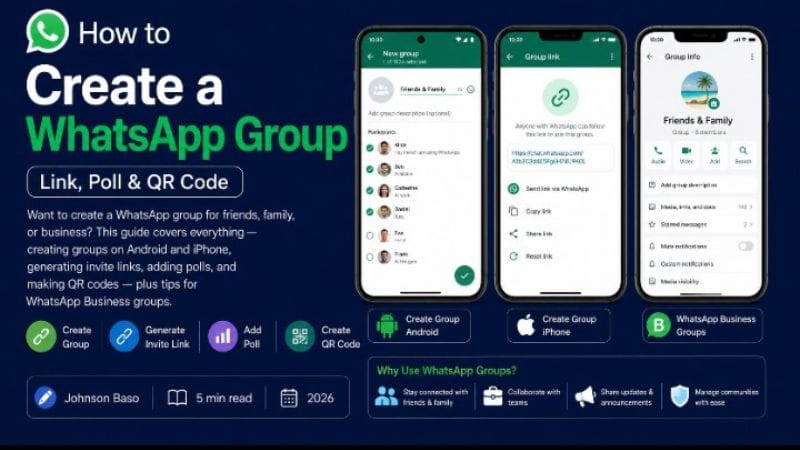
How to Create a WhatsApp Group (Link, Poll & QR Code)
Want to create a WhatsApp group for friends, family, or business? This guide covers everything — creating groups on Android and iPhone, generating invite links, adding polls, and making QR codes — plus tips for WhatsApp Business groups.
✅ Quick Answer: How to Create a WhatsApp Group
Android: Open WhatsApp → Tap ⋮ → New group → Select contacts → Tap ✓ → Name your group → Create. iPhone: Open WhatsApp → Tap New Chat → New Group → Select contacts → Next → Name group → Create.
How to Create a WhatsApp Group on Android
- Open WhatsApp and tap the three dots (⋮) in the top‑right corner.
- Select "New group."
- Choose the contacts you want to add (you can add up to 1,024 participants).
- Tap the green arrow (✓).
- Enter a group name and optionally add a group photo.
- Tap Create. Your group is live!
How to Create a WhatsApp Group on iPhone
- Open WhatsApp and tap New Chat (top‑right).
- Select "New Group."
- Choose contacts and tap Next.
- Name your group, add a photo, and tap Create.
How to Create a WhatsApp Group Invite Link
An invite link lets people join your group without you adding them manually.
- Open the group chat → Tap the group name at the top.
- Scroll down and tap "Invite to Group via Link."
- Choose: Copy link, Share link, or Generate QR code.
- Send the link to anyone — they'll join instantly when they tap it.
You can reset the link anytime to revoke access.
How to Create a Poll in a WhatsApp Group
- Open the group → Tap 📎 (Android) or + (iPhone).
- Select "Poll."
- Type your question and add options.
- Tap Send. Group members can now vote.
🧾 Quick Tips
- Group without adding contacts: Create a group with one person, remove them, then share the invite link.
- WhatsApp Business: The steps are identical — just use the WhatsApp Business app.
- QR code: In "Invite via Link," tap the QR code icon to display a scannable code.
Frequently Asked Questions
Up to 1,024 participants per group.
Yes. Create the group with one person, remove them, then share the invite link. People can join via the link without being in your contacts.
Yes. In the group, tap the phone/video icon. You can also create a call link and share it so people join at a scheduled time.
📘 Popular Guides on ClickStart NG
Explore More WhatsApp Guides & Online Income Tips
Now that your group is set up, discover how Nigerians monetize WhatsApp groups and status for real income.
Ready to build your website? See packages and get a free mockup →