
How to Share Live Location on WhatsApp (2026 Step-by-Step)
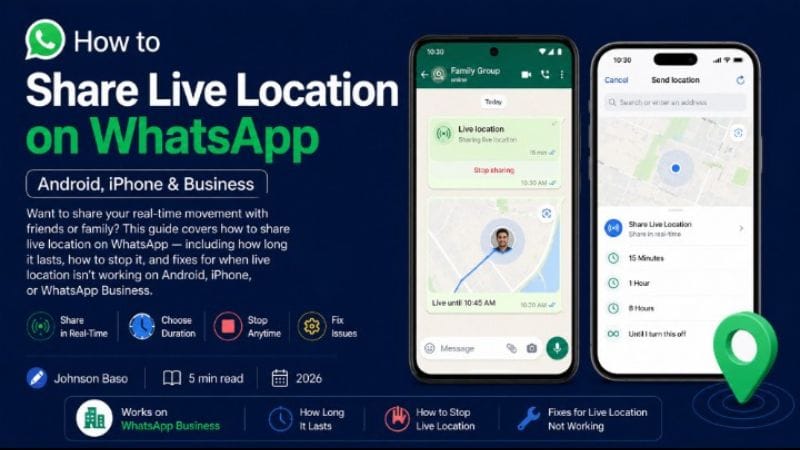
Want to share your real-time movement with friends or family? This guide covers how to share live location on WhatsApp — including how long it lasts, how to stop it, and fixes for when live location isn't working on Android, iPhone, or WhatsApp Business.
✅ Quick Answer: How to Share Live Location on WhatsApp
Open the chat → Tap 📎 (Android) or + (iPhone) → Location → "Share live location" → Choose duration (15 min, 1 hour, or 8 hours) → Tap Send. Your contact can now see your real-time movement on a map. To stop early, tap "Stop sharing" in the chat.
What Is Live Location on WhatsApp?
WhatsApp's live location feature lets you share your real-time GPS position with one contact or a group for a chosen duration. Unlike a static location pin (which shares a single point), live location updates continuously as you move.
Common uses:
- Meeting up: Let a friend track you while you navigate to them
- Safety: Share your journey with family when traveling at night
- Delivery: Small business owners can share their position with customers
- Group events: Coordinate a group arriving at different times
⚠️ Privacy tip: Only share live location with people you trust. Anyone you share with can see exactly where you are in real time for the entire duration. Stop sharing as soon as it's no longer needed.
Step-by-Step: Share Live Location on Android
- Open the WhatsApp chat with the person or group.
- Tap the 📎 paperclip icon.
- Select Location.
- Tap "Share live location".
- Choose a duration: 15 minutes, 1 hour, or 8 hours.
- Tap Send. Your live location is now active.
Step-by-Step: Share Live Location on iPhone
- Open the chat → Tap the + icon.
- Select Location.
- Tap "Share live location".
- Pick a duration and tap Send.
The steps are virtually identical. On iPhone, ensure WhatsApp has location permission set to "While Using the App" or "Always" in Settings → Privacy → Location Services.
How Long Can You Share Live Location?
WhatsApp offers three options: 15 minutes, 1 hour, or 8 hours. There is no permanent or indefinite live location sharing. After the timer expires, sharing stops automatically. You can restart it if needed.
How to Stop Sharing Live Location Early
- Open the chat where live location is active.
- You'll see a banner: "You are sharing your live location."
- Tap "Stop sharing".
- Confirm by tapping Stop.
Live Location Not Working? Try These Fixes
- Enable location permissions: Settings → Apps → WhatsApp → Permissions → Location → Allow.
- Turn on GPS: Your phone's location must be turned on, not just Wi-Fi or mobile data.
- Update WhatsApp: An outdated version may have bugs. Update from Play Store or App Store.
- Restart your phone: This clears temporary glitches.
- Check internet connection: Live location requires a stable data connection.
Using WhatsApp for Business? Turn Attention Into Sales
Now that you know how to use WhatsApp's location feature, if you're using WhatsApp to sell products or services, the next skill is turning Status views and chats into actual paying customers. WhatsApp Sales Blueprint 2.0 teaches the scripts, follow-up process, and closing strategies Nigerian sellers use.
Affiliate link. No income is guaranteed — results depend on your effort and market.
📱 Works On...
- ✅ Android (Samsung, Tecno, Infinix, Xiaomi)
- ✅ iPhone (all models)
- ✅ WhatsApp Business
- ❌ WhatsApp Web (live location is mobile-only)
Frequently Asked Questions
No. WhatsApp's maximum live location duration is 8 hours. After that, you'll need to restart sharing manually.
Some third-party GPS spoofing apps exist, but they violate WhatsApp's terms of service and can get your account banned. They also pose security risks. It's not recommended.
Ensure GPS is on, location permissions are granted, and you have a stable internet connection. If the issue persists, restart both WhatsApp and your phone.
Yes — live location uses GPS continuously, which is battery-intensive. For longer sessions (2+ hours), keep your phone charged or use shorter durations when possible.
Your Account Is Set Up. Now Let's Build Something.
Discover how Nigerians are making real money using WhatsApp status, groups, and a simple sales system — without fake promises.
Ready to build your website? See packages and get a free mockup →