
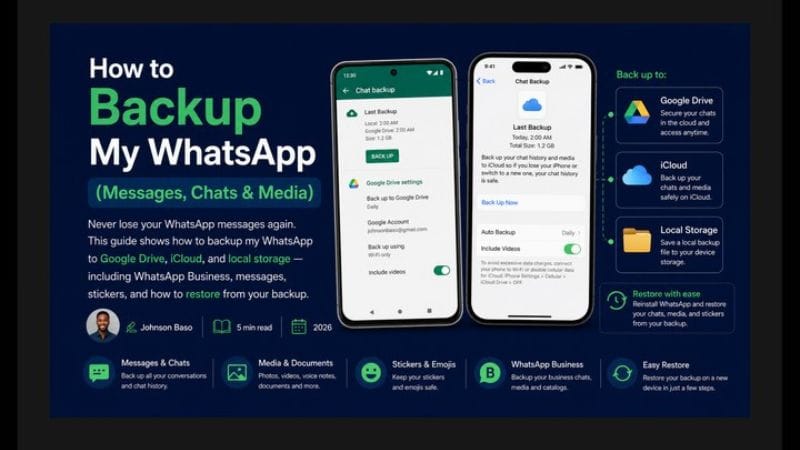
How to Backup My WhatsApp (Messages, Chats & Media)
Never lose your WhatsApp messages again. This guide shows how to backup my WhatsApp to Google Drive, iCloud, and local storage — including WhatsApp Business, messages, stickers, and how to restore from your backup.
✅ Quick Answer: How to Backup My WhatsApp
Android: Go to Settings → Chats → Chat Backup → Back up to Google Drive. Choose a frequency (daily recommended). iPhone: Go to Settings → Chats → Chat Backup → Back Up Now (uses iCloud). Tap "Back up" to start immediately.
How to Backup WhatsApp on Android (Google Drive)
- Open WhatsApp and tap the three dots (⋮) → Settings.
- Tap Chats → Chat Backup.
- Under "Back up to Google Drive," select a frequency: Daily, Weekly, or Monthly.
- Choose the Google account you want to use.
- Tap "Back up" to create a manual backup right now.
- Optionally, toggle "Include videos" ON or OFF (videos use more space).
How to Backup WhatsApp on iPhone (iCloud)
- Open WhatsApp → Settings.
- Tap Chats → Chat Backup.
- Tap "Back Up Now" to start an immediate backup.
- Optionally, enable "Auto Backup" and choose a frequency.
How to Backup WhatsApp Messages to Gmail (Manual Export)
You can email individual chats to yourself:
- Open the chat you want to save.
- Tap ⋮ → More → Export Chat.
- Choose "Without Media" (text only) or "Include Media".
- Select Gmail and send the chat file to yourself.
🧾 Backup Checklist
- ✅ Set daily backup to Google Drive (Android) or iCloud (iPhone).
- ✅ Ensure you have enough free storage in your Google/iCloud account.
- ✅ Connect to Wi‑Fi before backing up (backups can be large).
- ✅ WhatsApp Business: identical process — Settings → Chats → Chat Backup.
"I lost my phone last year and only had a 2‑week‑old backup. Now I back up daily to Google Drive. It saved me when I switched phones last month — all my chats were there."
— David O., IbadanFrequently Asked Questions
Daily is recommended. That way, if you lose your phone or switch devices, you'll only lose at most a few hours of messages.
Yes, if you toggle "Include videos" ON. This uses more storage space. You can turn it off to save space.
On Android, WhatsApp also creates a local backup on your phone (stored in Internal Storage → Android → media → com.whatsapp → WhatsApp → Databases). You can copy this file to a computer.
📘 Popular Guides on ClickStart NG
Explore More WhatsApp Guides & Online Income Tips
Now that your chats are safely backed up, discover how Nigerians earn real money through WhatsApp.
Ready to build your website? See packages and get a free mockup →